
Steam
Verify a member's Steam account inside a ticket with the Steam Authentication step.
Steam Authentication Step
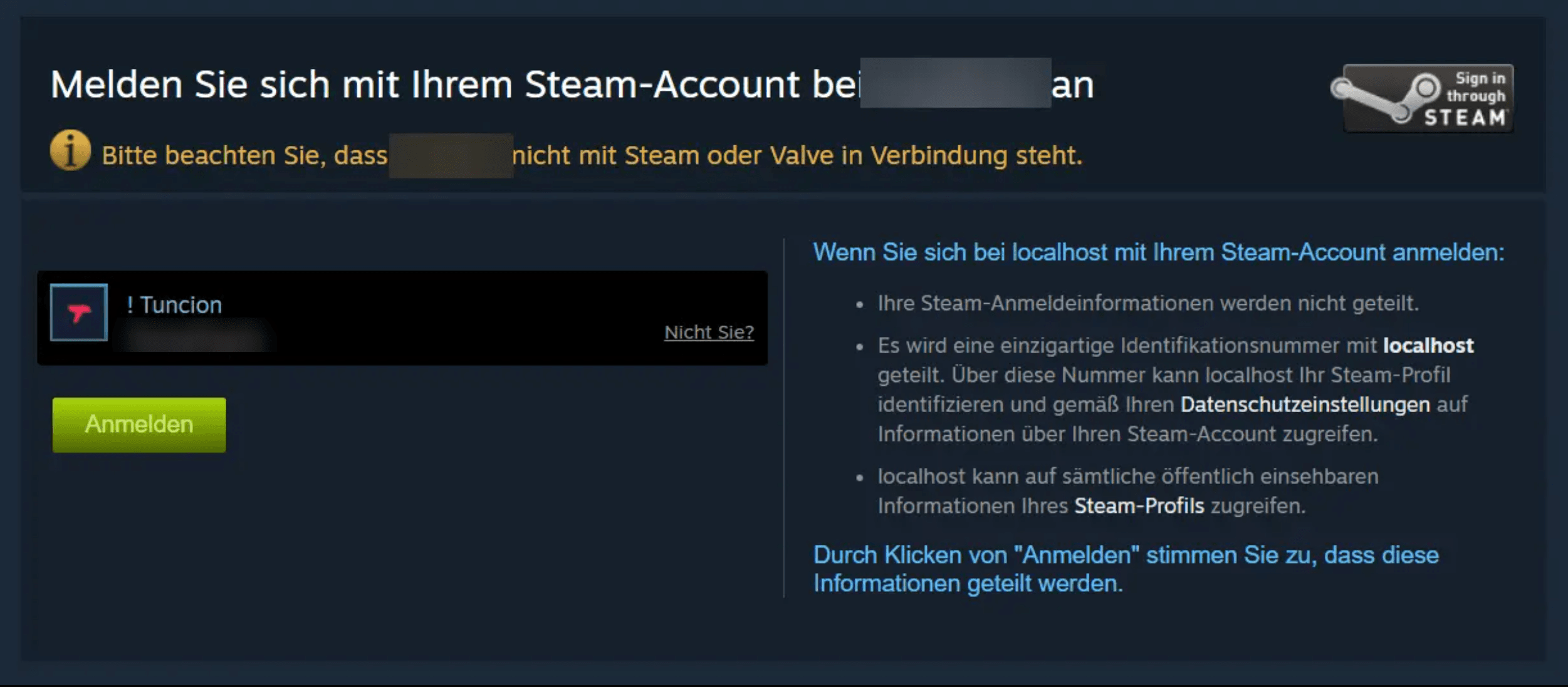
The Steam Authentication step lets a member prove which Steam account belongs to them. TicketWave uses Steam's official OpenID sign-in, the same mechanism Steam uses for trading and community sites.
This step type is a premium feature. Nothing has to be registered on your side.
Who Should Use This
- Game servers that ban, whitelist or reward by SteamID64
- Shops and script sellers checking a purchase against a Steam account
- Communities where the Discord name and the in-game name never match
What Gets Stored
| Field | Example | Description |
|---|---|---|
steam_id | 76561198000000000 | The SteamID64 — permanent and unique |
steam_username | PlayerOne | The Steam persona name at the time of verification |
> Steam Verification: `PlayerOne` (`76561198000000000`)A Steam persona name can be changed at any time, the SteamID64 cannot. When you ban, whitelist or look up a player, always use the ID — the name is only there to make the ticket readable.
How the Member Experiences It
The step shows a Login button with the Steam logo.
Steam's own sign-in page opens. There is no permission screen — Steam OpenID only confirms who the member is.
Steam sends the member back, TicketWave verifies the signature with Steam and reads the public profile.
The "Account Successfully Linked" page appears and the ticket continues.
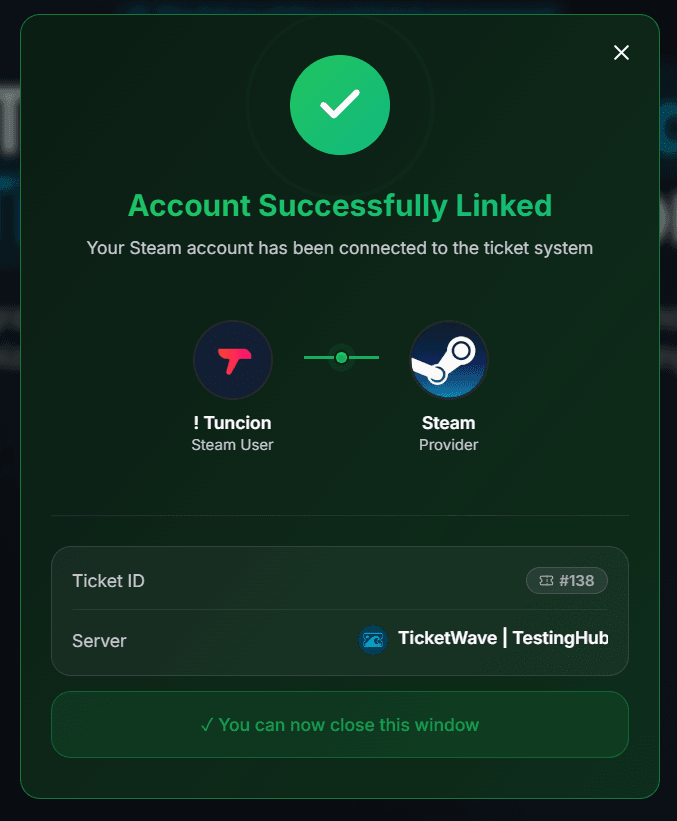
Steam OpenID gives TicketWave no access to the account — no library, no inventory, no friends, no email. It only answers the question "is this really the owner of that SteamID?".
Configure the Step
Open the Ticket Steps module
Server dashboard → Settings → Ticket Steps → Configure.
Create the step
| Field | Suggestion |
|---|---|
| Step Title | Verify your Steam account |
| Step Description | Sign in with Steam so we can look up your player data. |
| Step Type | Steam Authentication |
| Required Step | Enabled |
Restrict it where it makes sense (optional)
Put the step behind a category like In-Game Support or Ban Appeal so members with a simple question are not asked to sign in.
Test it
Open a ticket, run through the login and check the ticket summary.
Troubleshooting
| Problem | Cause | Fix |
|---|---|---|
| The step does not appear | Premium inactive or step above the free limit | Check the Premium page and your step order |
| "Token invalid or expired" | More than 10 minutes passed | 🔁 Renew Token, then Login again |
| The verification fails | Steam could not confirm the sign-in response | Ask the member to try again — this is almost always a temporary Steam issue |
| The profile is private | Steam still confirms the identity | The ID is always returned; only the display name may fall back |
Next Steps
- Authentication Overview
- CFX / FiveM Authentication (Popular in combination with Steam)
- Ticket Categories & Subcategories
How is this guide?