
Ticket Categories
Organize your Discord support with ticket categories and subcategories.
Guide to Ticket Categories & Subcategories
Categories are the backbone of a support system that scales. They decide where a ticket lands, how it is named and what the member is asked next.
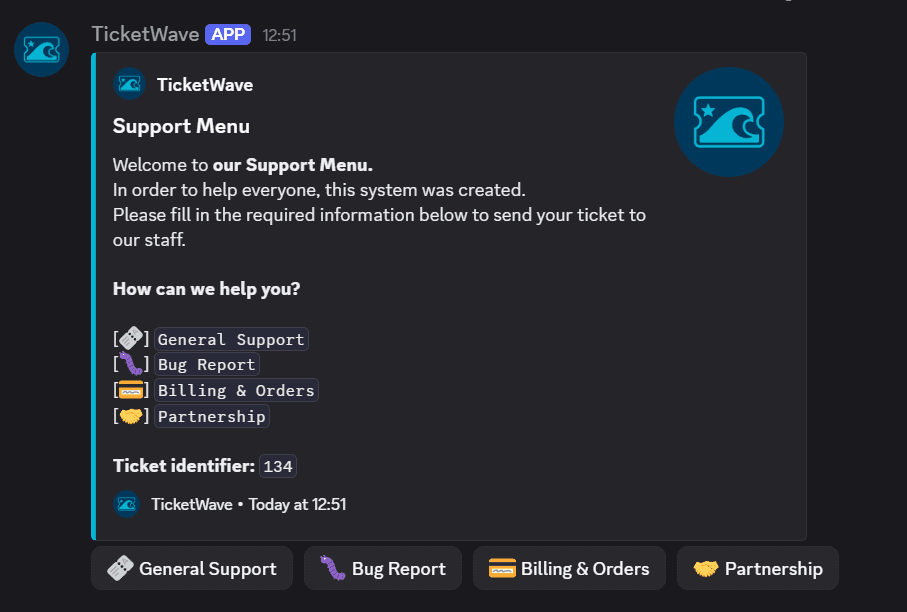
Why Categories
Without categories every ticket looks the same and every staff member has to read every ticket. With categories:
- Bug reports land in a different Discord category than refund requests
- Ticket channel names tell you what the ticket is about before you open it
- Ticket steps can be limited to the categories that need them
- The analytics page can show you which topic eats your team's time
Rule of thumb: create a category when the workflow differs — not when only the wording differs.
Create a Category
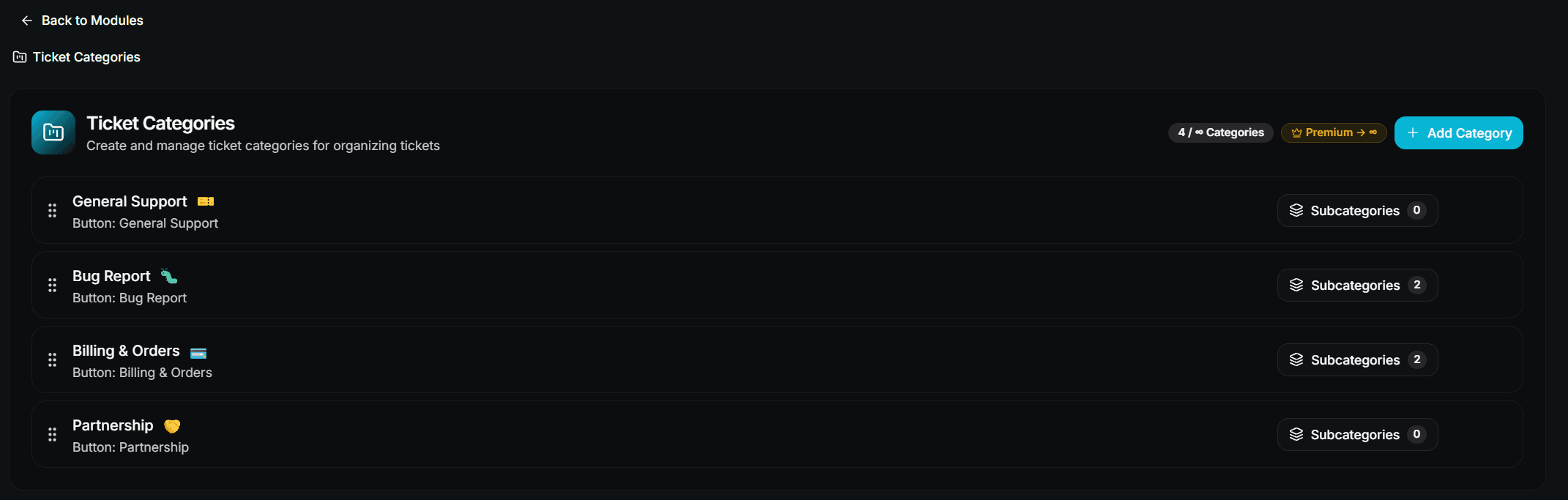
Add a category
Click Add Category and fill in the form:
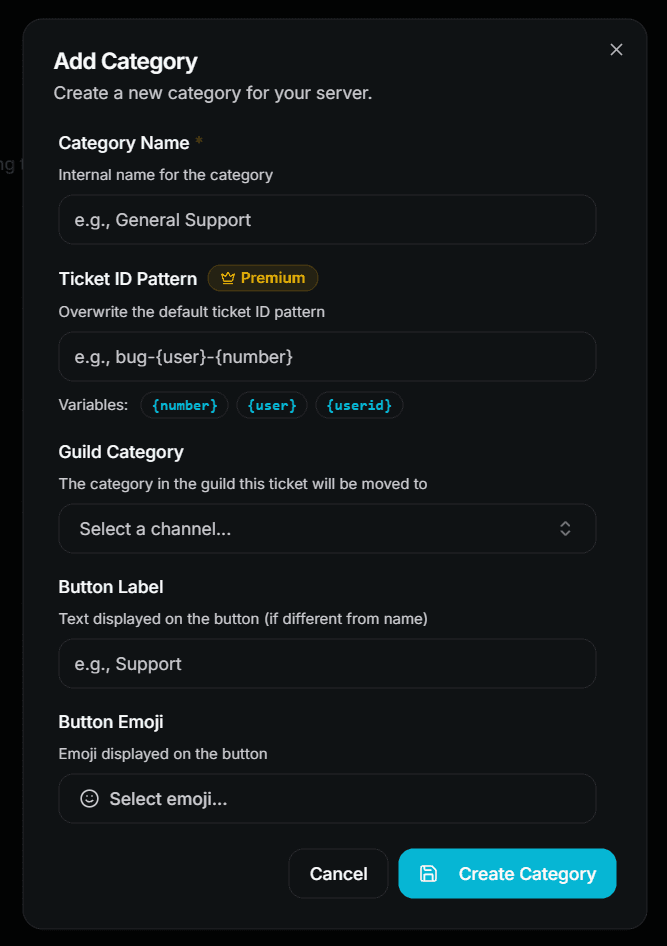
| Field | Description | Premium |
|---|---|---|
| Category Name | Internal name — shown to staff in the ticket summary | ❌ Free |
| Ticket ID Pattern | Overwrites the default channel name pattern for this category | 👑 |
| Guild Category | The Discord category the ticket channel is moved into | ❌ Free |
| Button Label | The text on the Discord button | ❌ Free |
| Button Emoji | The emoji on the Discord button | ❌ Free (custom server emojis 👑) |
Order your categories
Drag them into the order your members should see and press Save Sequence.
On the free plan only the first 3 categories are used. If you have more, reordering decides which ones are live.
Ticket ID Patterns
The pattern defines the ticket channel name. Three variables are available:
| Variable | Meaning |
|---|---|
{number} | The ticket number |
{user} | The username of the ticket creator |
{userid} | The Discord user ID of the ticket creator |
ticket-{number}          →  ticket-42
bug-{user}-{number}      →  bug-lisa-42
support-{userid}         →  support-123456789012345678
The global default lives in Ticket System → Ticket ID Pattern. A category (or subcategory) pattern overwrites it for its own tickets.
Category-specific patterns are a premium feature. The global pattern in Ticket System is free for everyone.
Subcategories
A subcategory is a second question after the category — use it when one topic splits into clearly different cases.
Category: Technical Support
  ├── Subcategory: Connection Issue
  ├── Subcategory: Crash / Freeze
  └── Subcategory: Performance
Create a Subcategory
Open Settings → Ticket Categories → Configure → Subcategories.

Click Add Subcategory.
Pick the Parent Category it belongs to.
Fill in name, button label, emoji and — optionally — its own Guild Category and Ticket ID Pattern.
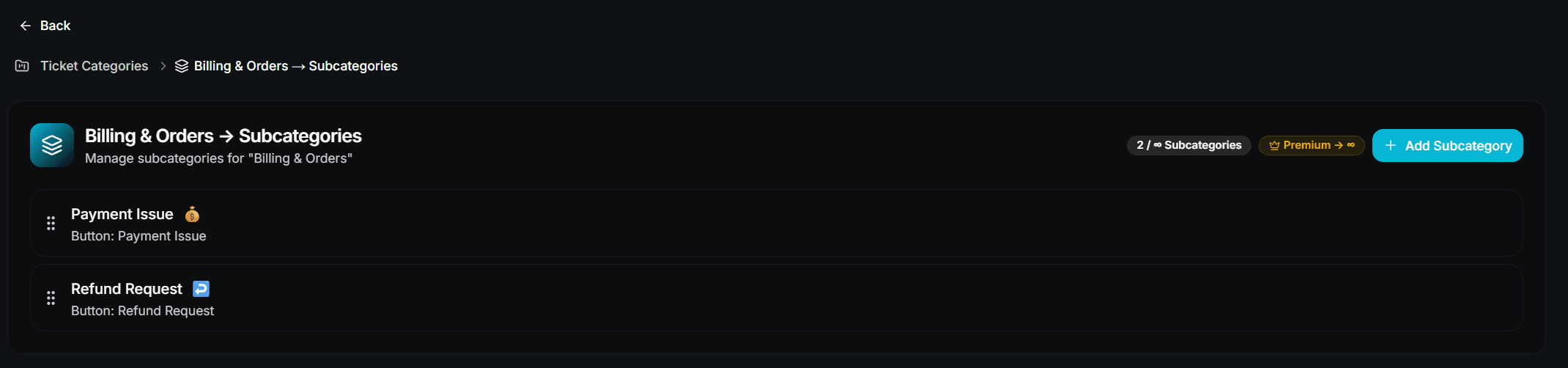
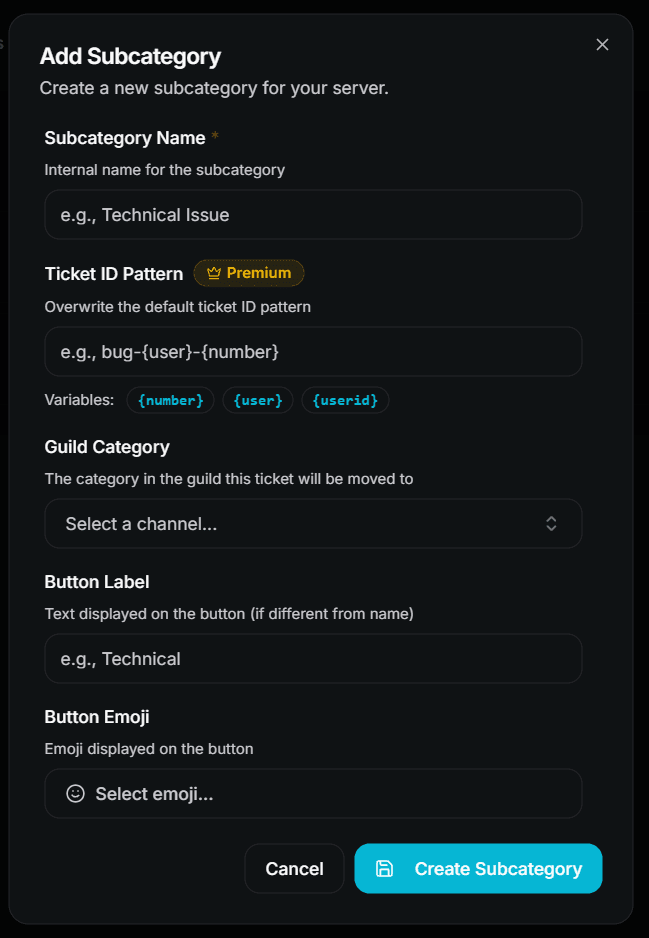
Subcategories are optional. A category without subcategories sends the member straight to the ticket steps.
How a Member Experiences It
The member clicks the button or menu option on your ticket panel.
The ticket channel is created and the Support Menu embed asks for the category.
If that category has subcategories, the next embed asks for the subcategory.
All configured ticket steps run.
The ticket unlocks and the member can write.
You can skip the whole selection by linking a panel button directly to a category or subcategory. See Design Your Ticket Panel.
Limits
| Item | Free | Premium |
|---|---|---|
| Categories | 3 | Unlimited |
| Subcategories per category | 3 | Unlimited |
| Own Discord category per ticket category | ✅ | ✅ |
| Category-specific ticket ID pattern | ❌ | ✅ |
| Custom server emojis on buttons | ❌ | ✅ |
Common Mistakes
"No categories are available."
The category system is active but no category exists — or all of them are above the free limit. Create at least one category, or turn the category system off.
Tickets are not moved into the Discord category.
Check that the bot has Manage Channels and View Channel in the target Discord category. /admin setup can validate the permissions for you.
The button has no label.
Discord rejects buttons without a label and without an emoji. Give every category at least one of the two.
Next Steps
- Design Your Ticket Panel (Link panel buttons directly to a category)
- Ticket Steps Overview (Ask the right questions per category)
- Analytics (See which category takes the most work)
How is this guide?