
Login / Register
Learn how to log in to the dashboard
Guide to Login and Register to the Dashboard
In this guide, we will walk you through the process of logging in to the TicketWave dashboard
Sign Up
We use only discord for authentication. You will need a discord account to log in to the dashboard. If you don't have one, you can create one for free at https://discord.com/register.
Sign In
Visit our Website
Go to https://ticketwave.dev and click on the Login with Discord button on the top right corner.
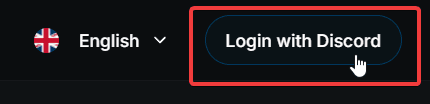
Open the login modal
After clicking on the button, a modal will appear. You could choose to automatically join our support server or not. This is optional and you can always join later if you want to.
We highly recommend joining the support server to get help, stay updated with the latest news and updates, and to give us feedback on the bot and dashboard.
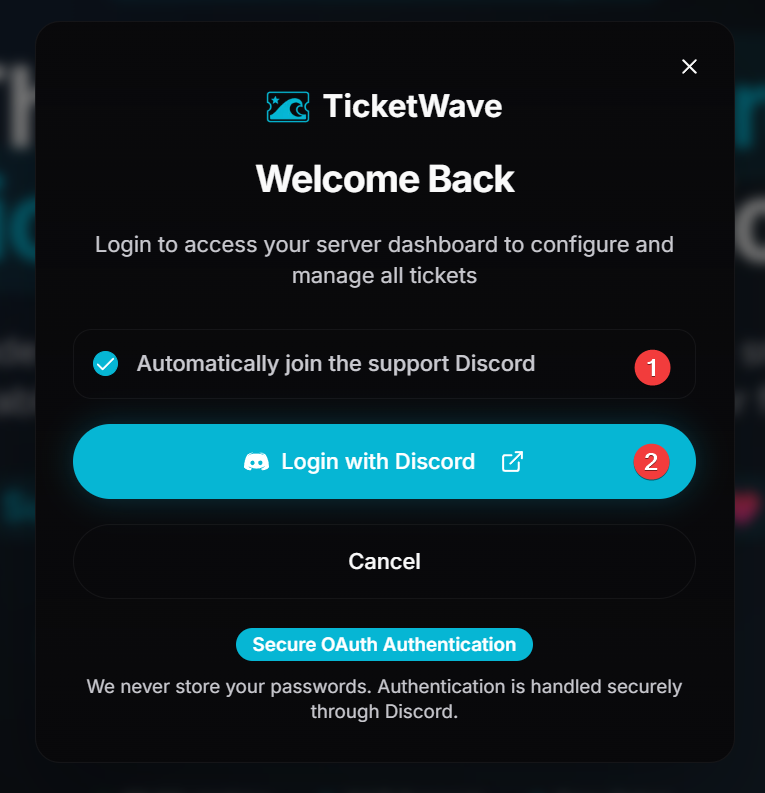
- Check the box if you want to automatically join the support server or not.
- Click on the Continue button to proceed with the login process.
Authorize us
You will be redirected to the Discord login page. Enter your credentials and authorize the application to access your account.
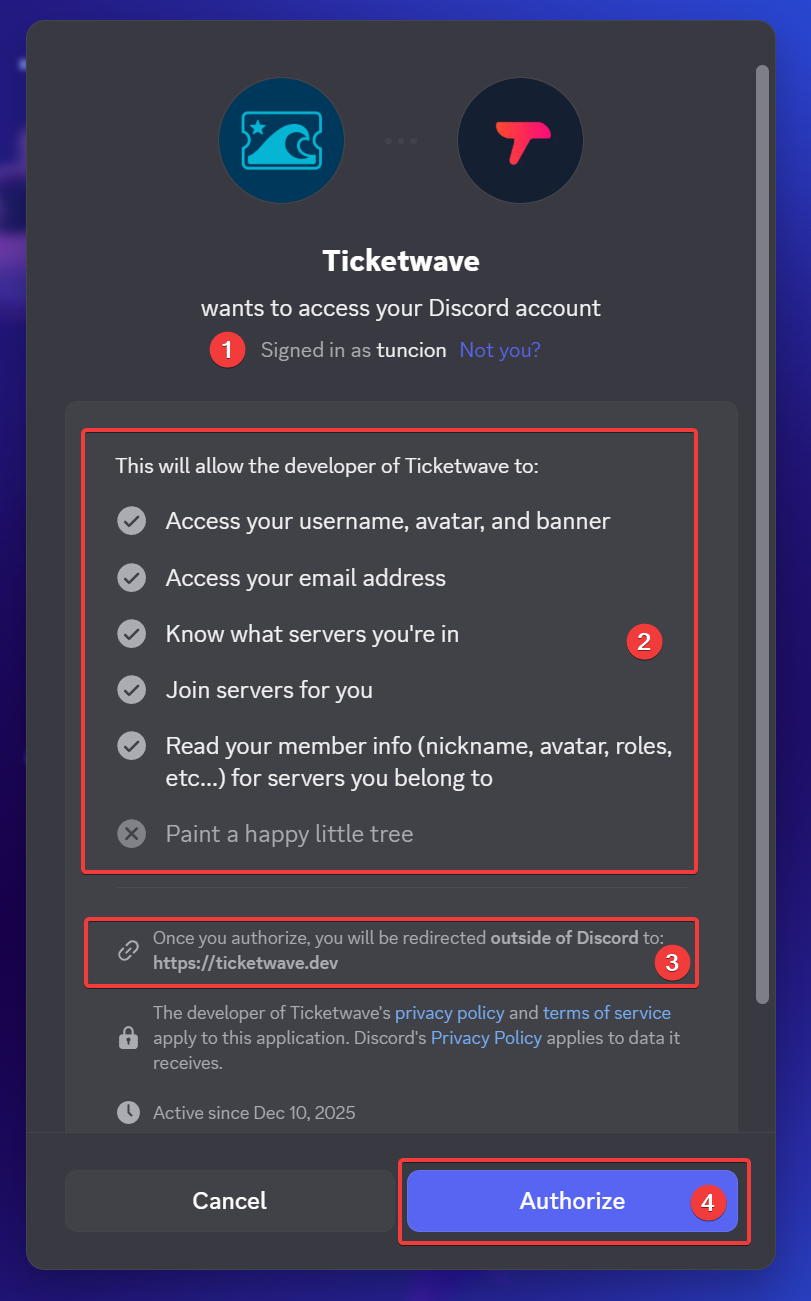
- Check if this is the right account you want to log in with.
Also see the profile picture to make sure it's the right account. If you have multiple accounts, this could help you avoid logging in with the wrong one.
- We want to be transparent about the permissions we request. You can see the list of permissions we request. We only request the permissions that are necessary for the dashboard to function properly. We do not request any unnecessary permissions.
- Check where Discord is redirecting you. It should ALWAYS be https://ticketwave.dev. If it isn't, do not grant the app permission and check to make sure it isn't a fake.
- Click on the Authorize button to grant the necessary permissions and complete the login process.
Complete the Login
After authorizing the application, you will be redirected back to the dashboard and you should be logged in.
Next Steps
Now that you are logged in, you can explore the dashboard and its features. Here are some recommended next steps:
- Guide to Manage your Account Settings (Learn how to manage your account settings)
- Guide to Add New Servers (Learn how to add new servers to your dashboard account and manage them all in one place)
How is this guide?