
Transcripts
How TicketWave transcripts work, who can read them and where to find the link.
Guide to Ticket Transcripts
Closing a ticket deletes the Discord channel. The transcript is what keeps the conversation — a full, readable copy of the ticket on the web.
When a Transcript Is Created
A transcript is generated automatically the moment a ticket is closed, right before the channel is deleted. There is no command to run and no switch to remember.
Transcripts are available on every plan.
Where to Find the Link
| Place | Who sees it |
|---|---|
| Ticket close DM | The member who opened the ticket |
| Ticket close log | Your staff, in the channel you configured |
| Ticket history / detail page | Your staff, in the dashboard |
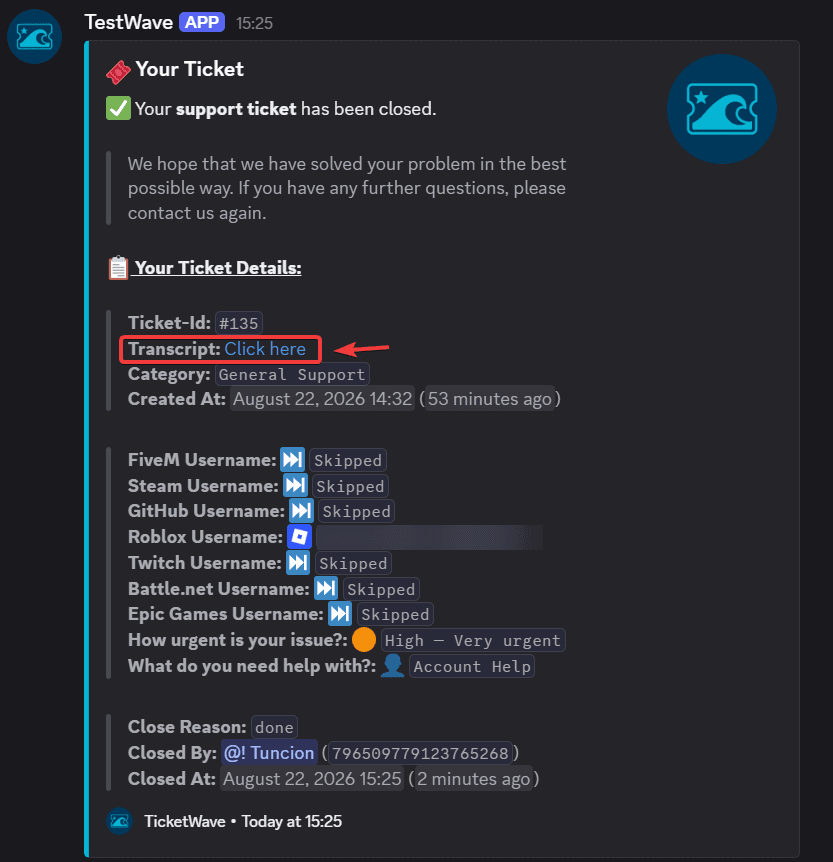
Set up the Ticket Close log type so the link always lands in a staff channel — see Log Channels.
Who Can Open a Transcript
A transcript link is not public. Opening one requires all of the following:
You are logged in with Discord on the TicketWave website.
You are one of: the ticket owner, a configured staff member, or a server administrator.
Everyone else gets an error page:
| Message | Meaning |
|---|---|
| You must be logged in to view this transcript. | Sign in with Discord and try again |
| You don't have permission to view this transcript. | You are not the owner, not staff and not an admin |
This means you can safely paste a transcript link into a staff channel — a random member who finds the URL still cannot read it.
What a Transcript Contains
| Section | Content |
|---|---|
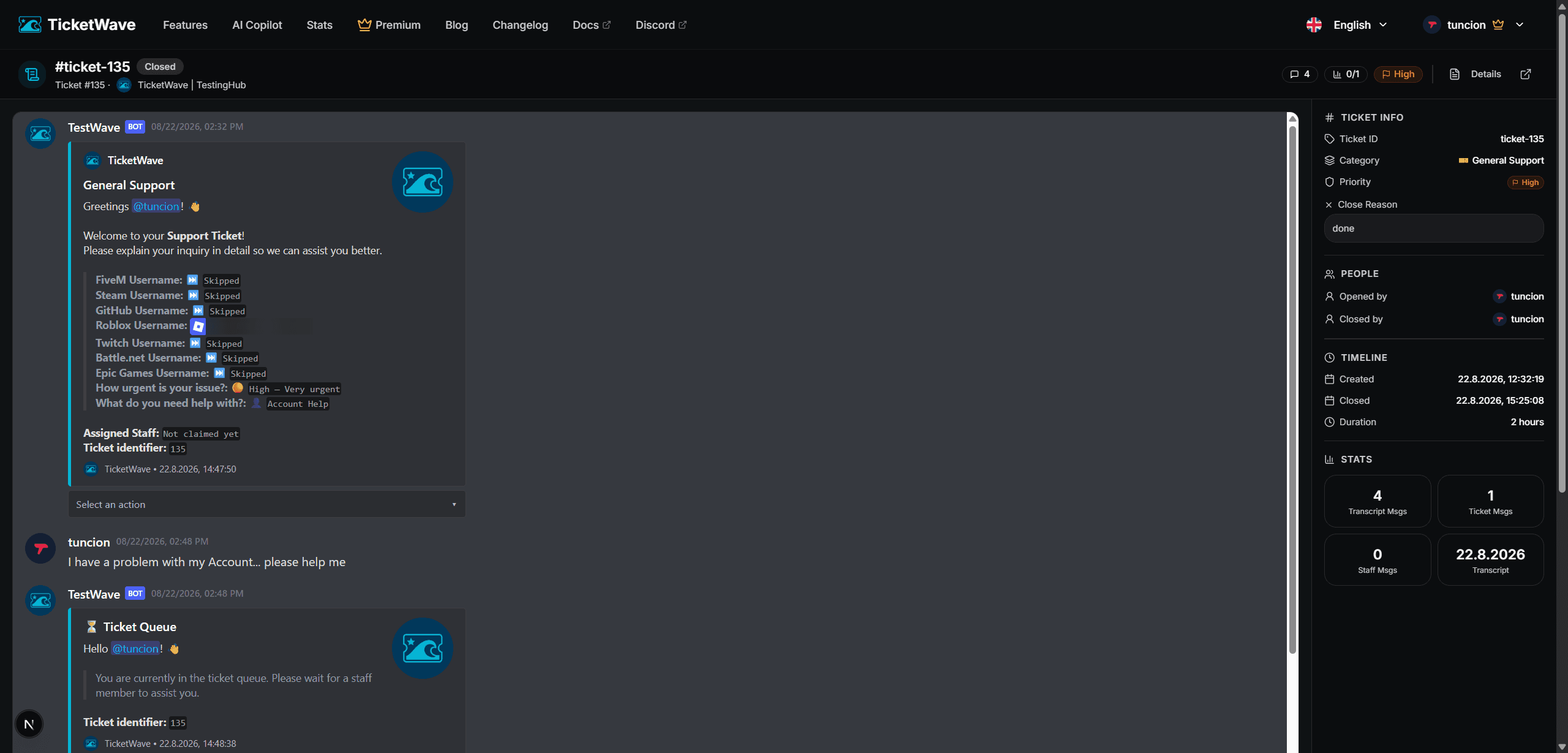
| Ticket Info | Ticket ID, category, subcategory, priority and close reason |
| People | Who opened, who closed and who claimed the ticket |
| Timeline | Created, closed and the total duration |
| Stats | Messages in the transcript, ticket messages, staff messages and the transcript date |
| Feedback | The rating the member gave after the close, if any |
| Messages | The full conversation including embeds and attachments |
How to Use Transcripts
- Ban appeals and disputes. "I never said that" ends quickly with a link.
- Onboarding new staff. A handful of good and bad tickets teaches more than any handbook.
- Bug reports. Attach the transcript to your issue tracker instead of retyping the conversation.
- Reviewing a bad rating. Pair it with feedback to see what actually happened.
Transcripts contain everything that was written in the ticket, including personal information a member shared. Treat the links like the private conversations they are.
Troubleshooting
| Problem | Fix |
|---|---|
| No transcript link in the close log | The Ticket Close log type has no channel configured |
| The member never got the link | They have DMs from server members disabled, or the ticket was closed silently |
| "You don't have permission" as staff | Your role is not in the Support Roles module — see Settings Page |
| The link opens but stays empty | The transcript file could not be read — contact support with the ticket ID |
Next Steps
- Log Channels (Get the link into the right channel)
- Feedback & Ratings (The context behind a rating)
- /ticket close (Silent and instant closing)
How is this guide?