
🔐 Authentication
GitHub
使用 GitHub Authentication 步驟,在票單中驗證成員的 GitHub 帳號。
GitHub 驗證步驟
GitHub Authentication 步驟會將 Discord 成員連結到已驗證的 GitHub 帳號——非常適合開發者社群、開源專案,以及任何販售或支援程式碼的人。
這種步驟類型是 premium 功能。你不需要自行建立 GitHub App 或 OAuth 應用程式。
適合哪些人使用
- 想把錯誤回報對應到真實 GitHub 使用者的開源專案
- 會給贊助者或貢獻者不同支援等級的團隊
- 在購買後提供私人儲存庫存取權的賣家
- 經營「已驗證開發者」身分組的社群
會儲存哪些資料
| Field | Example | Description |
|---|---|---|
github_id | 1234567 | 永久不變的 GitHub 使用者數字 ID |
github_username | octocat | 驗證當下的 GitHub 登入名稱 |
> GitHub Verification: `octocat` (`1234567`)GitHub 使用者名稱可以更改,甚至可能被其他人接手。數字 ID 永遠不會變——只要是長期儲存的資料,就應該使用它。
成員會看到什麼
這個步驟會顯示一個帶有 GitHub 標誌的 Login 按鈕。
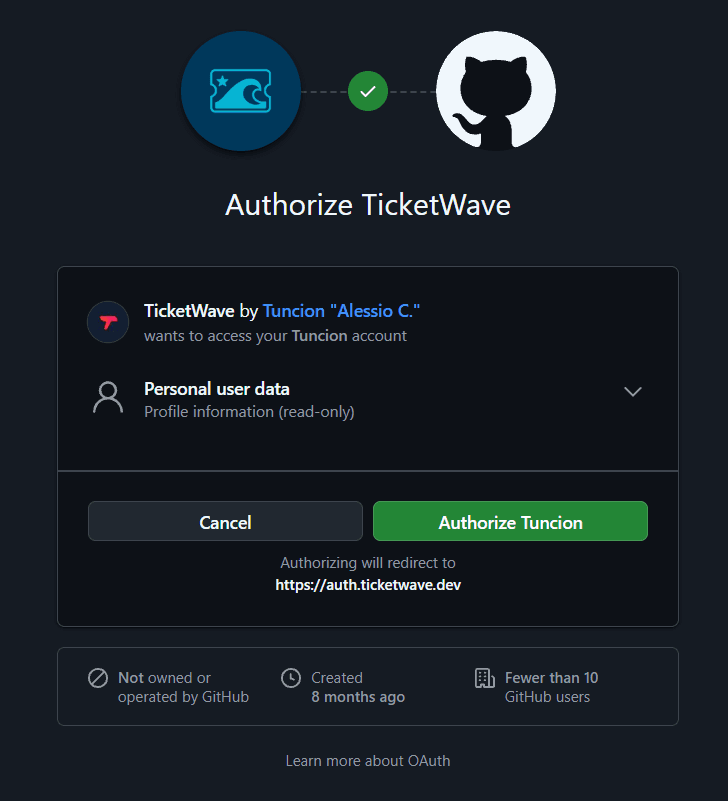
GitHub 的授權頁面會開啟,並要求授予 TicketWave read:user 權限範圍。
成員授權後,GitHub 會將他們導回,TicketWave 會讀取公開個人資料。
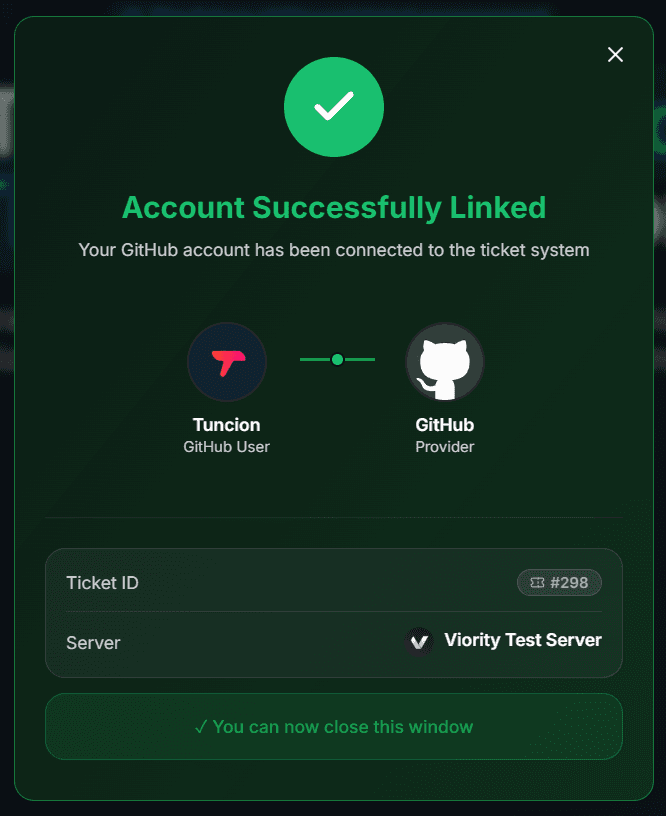
確認頁面會出現,票單接著進入下一個步驟。
read:user 是用於個人資料的 唯讀 權限範圍。TicketWave 無法讀取私人儲存庫、無法推送程式碼,也無法代表成員執行操作。
設定步驟
開啟 Ticket Steps 模組
Server dashboard → Settings → Ticket Steps → Configure。
建立步驟
| Field | Suggestion |
|---|---|
| Step Title | Connect your GitHub account |
| Step Description | We use your GitHub account to link this ticket to your issues and contributions. |
| Step Type | GitHub Authentication |
| Required Step | 視情況而定——錯誤回報需要,一般問題則不需要 |
在適合的情況下將它設為可選
將 Required Step 關閉後,TicketWave 會新增一個 ⏭️ Skip 按鈕。沒有 GitHub 帳號的成員仍然可以開啟票單,而摘要會顯示 ⏭️ Skipped,讓工作人員知道為什麼這個欄位是空的。
測試它
開一張票單,完整跑一次流程。
疑難排解
| Problem | Cause | Fix |
|---|---|---|
| The step does not appear | Premium inactive or step above the free limit | Check the Premium page and your step order |
| "Token invalid or expired" | More than 10 minutes passed | 🔁 Renew Token, then Login again |
| GitHub shows "already authorized" and skips the screen | The member authorized TicketWave before | Perfectly normal — the login just goes faster |
| The member does not want to authorize | Nothing is stored | Make the step optional so they can skip it |
下一步
- Authentication Overview
- Button Steps (在登入後立刻詢問受影響的版本)
- LunAI (讓 AI 摘要冗長的錯誤回報)
How is this guide?