Ticket Blacklist Remove Action
✨ Overview
With the Blacklist Remove Action, you can:
- ➖ Remove specific user from the ticket blacklist.
🧾 Command Details
- Type: Context Menu Action
- Permission Required: Staff
- Usage:
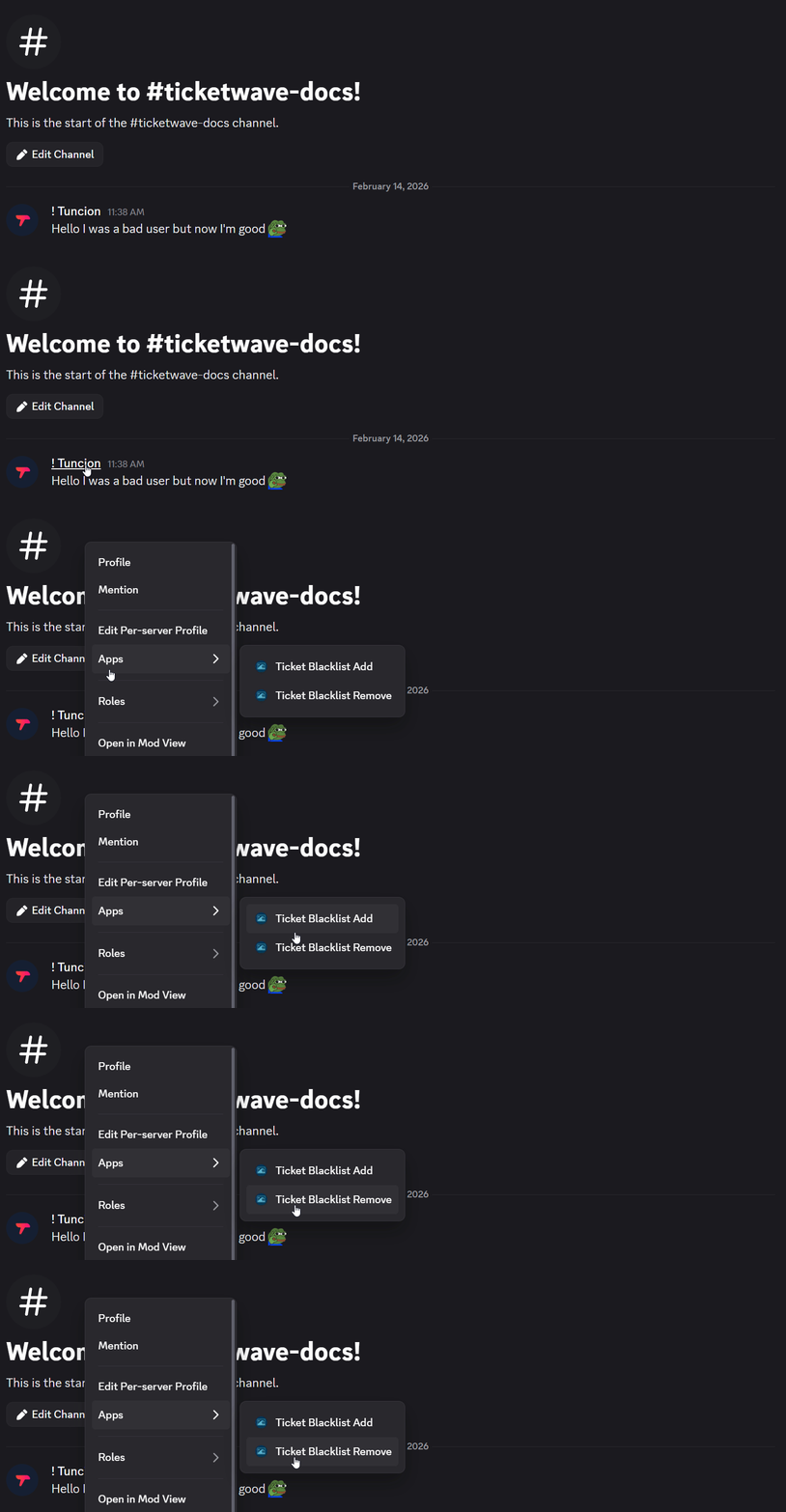
- Right-click on a specific user
- Select "Apps" > "Ticket Blacklist Remove"
💡 When Should You Use This?
Use the Blacklist Remove Action when:
- You need to remove a specific user from the ticket blacklist.
- You want to allow a specific user to create or participate in tickets again.
📌 Example
➡️ Szenario 1: A user was previously added to the ticket blacklist due to disruptive behavior, but they have since apologized and shown improvement. You can use the Blacklist Remove Action to remove them from the blacklist, allowing them to create or participate in tickets again. After right-clicking on the user and selecting "Ticket Blacklist Remove", the user will be removed from the ticket blacklist, and they will be able to create or participate in tickets again.
📝 Notes
- ⚠️ This will allow the user to create or participate in tickets again. Use with caution!