
GitHub
Verify a member's GitHub account inside a ticket with the GitHub Authentication step.
GitHub Authentication Step
The GitHub Authentication step connects a Discord member to a verified GitHub account — perfect for developer communities, open source projects and anyone selling or supporting code.
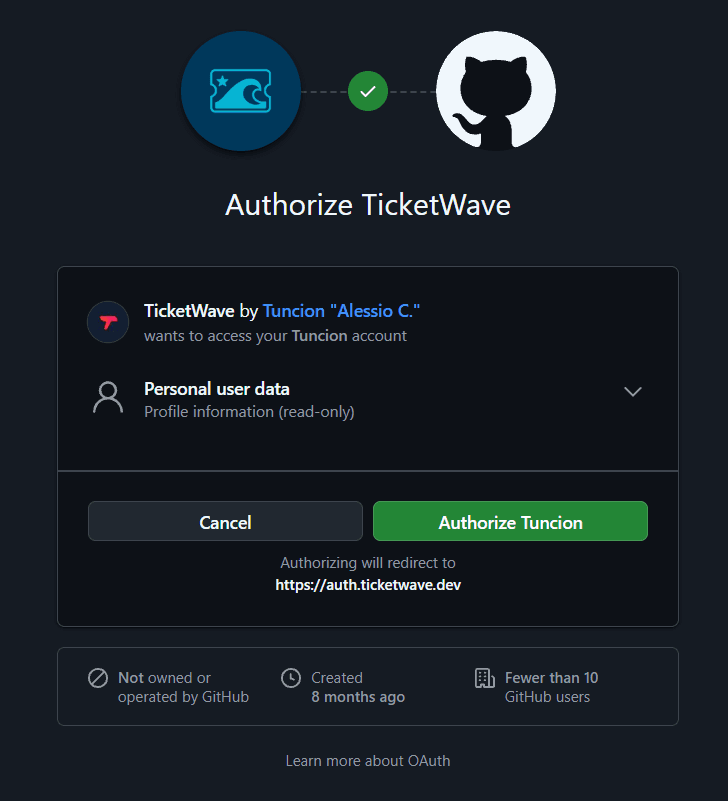
This step type is a premium feature. No GitHub App or OAuth application needs to be created by you.
Who Should Use This
- Open source projects that want to match a bug report to a real GitHub user
- Teams that give sponsors or contributors a different support level
- Sellers who deliver private repository access after a purchase
- Communities running a "verified developer" role
What Gets Stored
| Field | Example | Description |
|---|---|---|
github_id | 1234567 | The permanent numeric GitHub user ID |
github_username | octocat | The GitHub login name at the time of verification |
> GitHub Verification: `octocat` (`1234567`)A GitHub username can be changed and even taken over by somebody else. The numeric ID never changes — use it whenever you store something long term.
How the Member Experiences It
The step shows a Login button with the GitHub logo.
GitHub's authorization page opens and asks to grant TicketWave the read:user scope.
After the member authorizes, GitHub sends them back and TicketWave reads the public profile.
The confirmation page appears and the ticket continues with the next step.
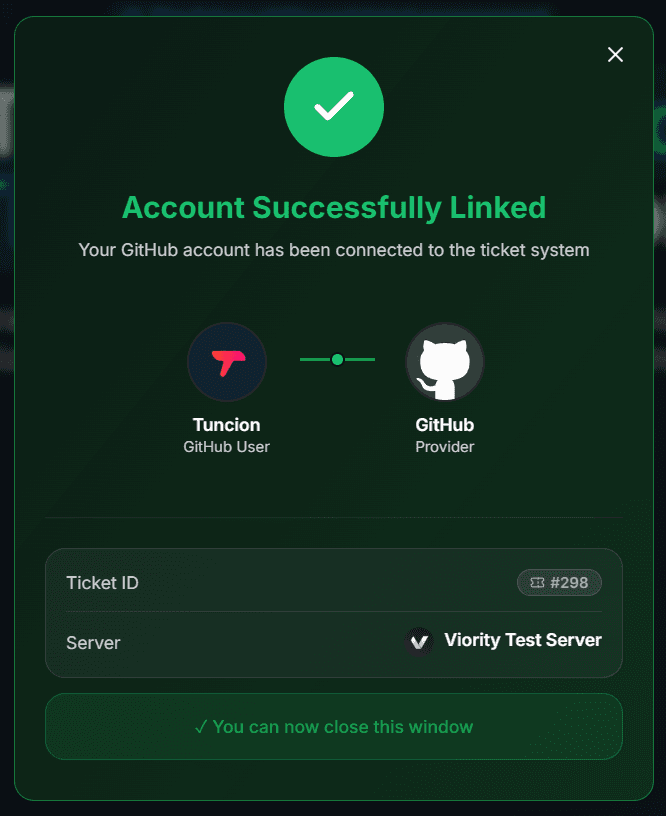
read:user is a read-only scope for profile data. TicketWave cannot read private repositories, cannot push code and cannot act on the member's behalf.
Configure the Step
Open the Ticket Steps module
Server dashboard → Settings → Ticket Steps → Configure.
Create the step
| Field | Suggestion |
|---|---|
| Step Title | Connect your GitHub account |
| Step Description | We use your GitHub account to link this ticket to your issues and contributions. |
| Step Type | GitHub Authentication |
| Required Step | Depends — for a bug report yes, for a general question no |
Make it optional where it fits
Turn Required Step off and TicketWave adds a ⏭️ Skip button. Members without a GitHub account can still open the ticket, and the summary shows ⏭️ Skipped so staff knows why the field is empty.
Test it
Open a ticket and run through the flow once.
Troubleshooting
| Problem | Cause | Fix |
|---|---|---|
| The step does not appear | Premium inactive or step above the free limit | Check the Premium page and your step order |
| "Token invalid or expired" | More than 10 minutes passed | 🔁 Renew Token, then Login again |
| GitHub shows "already authorized" and skips the screen | The member authorized TicketWave before | Perfectly normal — the login just goes faster |
| The member does not want to authorize | Nothing is stored | Make the step optional so they can skip it |
Next Steps
- Authentication Overview
- Button Steps (Ask for the affected version right after the login)
- LunAI (Let the AI summarize long bug reports)
How is this guide?