
Ticket Blacklist Remove
Remove a user from the ticket blacklist via the right-click context menu.
Ticket Blacklist Remove
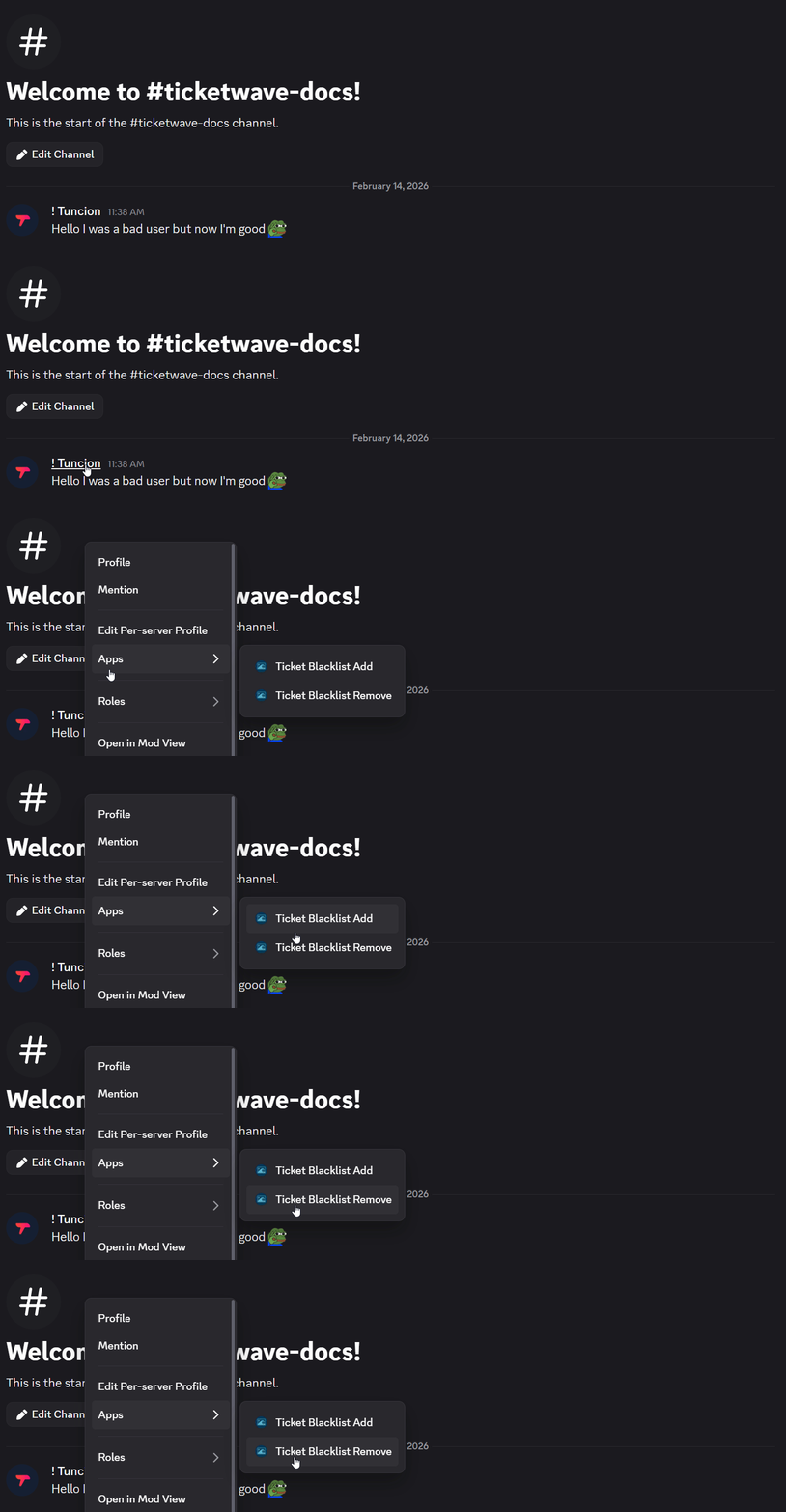
The Ticket Blacklist Remove action removes a user from the ticket blacklist directly from the Discord context menu. Once removed, the user can create and participate in tickets again.
Usage
- Right-click on the user you want to remove from the blacklist
- Select Apps > Ticket Blacklist Remove
When to Use This
Use this action when:
- A previously blacklisted user has been given another chance and should be allowed back
- A user was added to the blacklist by mistake
Example
A user was blacklisted for disruptive behavior but has since apologized and shown improvement. After right-clicking their name and selecting Ticket Blacklist Remove, they are immediately removed from the blacklist and can interact with the ticket system again.
Removing a user from the blacklist grants them full access to the ticket system again. Use with caution.
How is this guide?