
/ticket thread
Create a private staff thread inside a ticket for internal discussion.
Ticket Thread Command

The /ticket thread command creates a private thread inside the ticket channel that is only visible to staff. Use it to discuss the ticket internally without the ticket creator seeing the conversation.
Usage
/ticket threadParameters
| Parameter | Type | Required | Description |
|---|---|---|---|
reason | Text | Optional | A note explaining why the thread is being created |
When to Use This
Use /ticket thread when you need to discuss something with other staff members or the server owner without the ticket creator seeing the conversation — for example to align on a response, verify details, or escalate internally.
Example
You're handling a refund request and want to align with your team before responding to the user:

After running the command, a private staff thread is created inside the ticket:

Staff can then discuss the ticket privately:
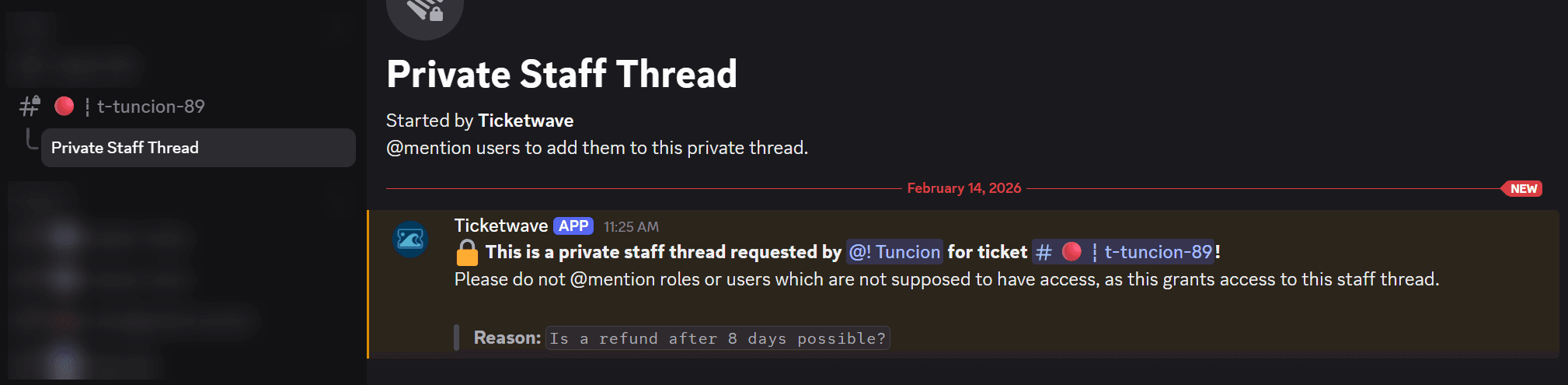
Do not @mention roles or users who should not have access to the ticket — doing so will grant them access to the thread.
Notes
- Only one thread can exist per ticket at a time. If a thread already exists, the command will return the existing one instead of creating a new one.
How is this guide?