
/ticket remove
Remove a user or role from an existing ticket channel.
Ticket Remove Command
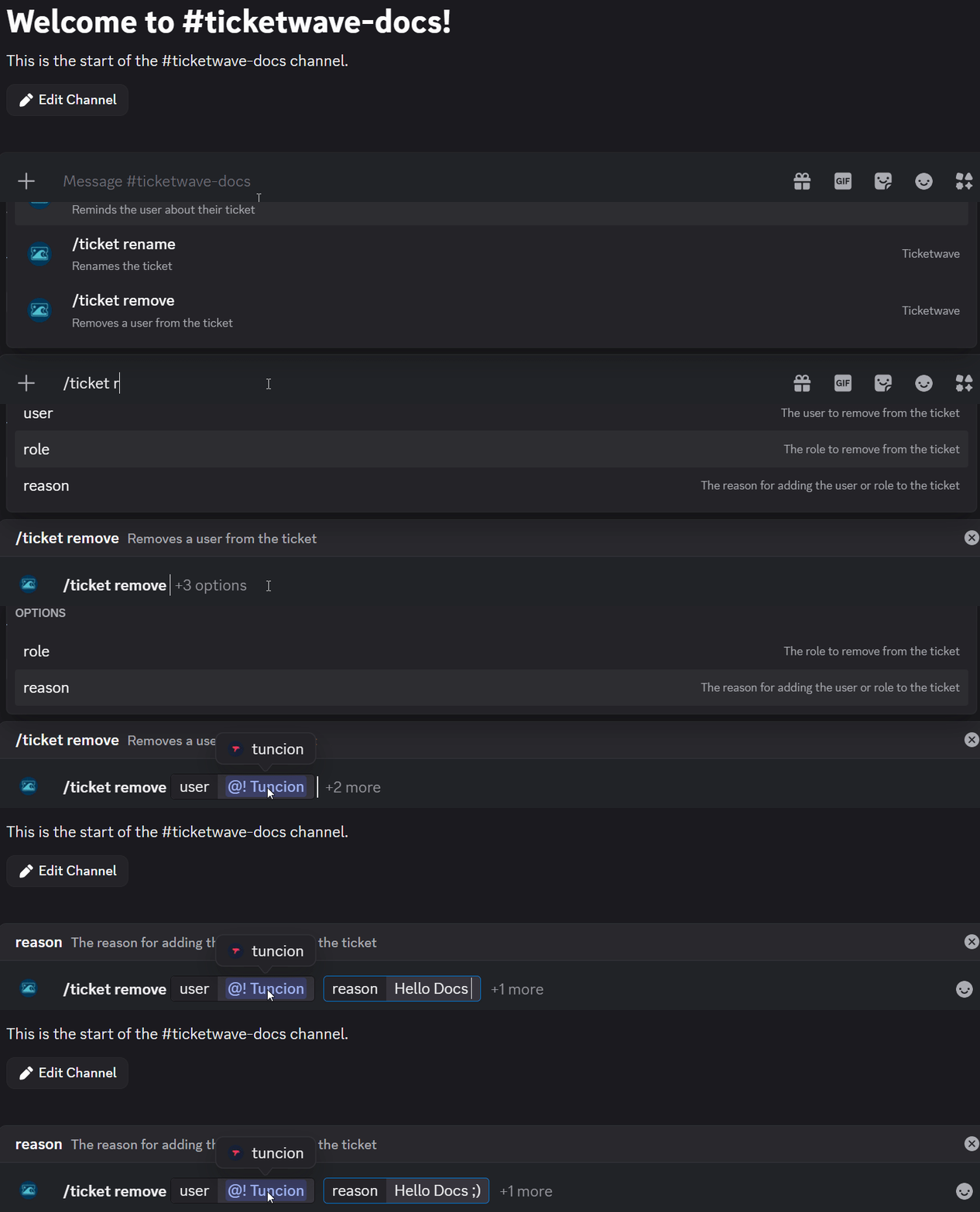
The /ticket remove command revokes access to a ticket channel for a specific user or role.
Usage
/ticket removeParameters
| Parameter | Type | Required | Description |
|---|---|---|---|
user | User | Optional | The user to remove from the ticket |
role | Role | Optional | A role to remove — all members of that role will lose access |
reason | Text | Optional | Explanation for removing them |
At least one of user or role must be specified.
When to Use This
Use /ticket remove when:
- A user has finished contributing and no longer needs access
- You added someone by mistake
- A role was given access for a specific reason that no longer applies
- You want to limit access for privacy or security reasons
Examples
Removing a user — a helper has finished their part and should no longer have access to the ticket:

Removing a role — a role was granted temporary access and should now be revoked:

Notes
- Avoid repeatedly adding and removing the same users, as this can cause confusion for everyone in the ticket.
How is this guide?