
/ticket panel
Send a ticket panel embed to a channel so members can open tickets.
Ticket Panel Command

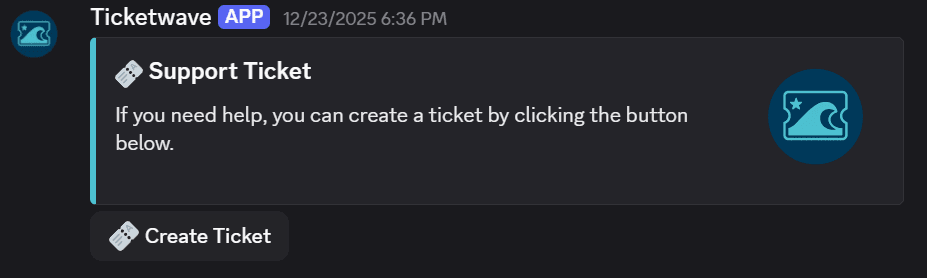
The /ticket panel command sends the ticket panel embed to the current channel. Members can click the button in the panel to open a new ticket.
Usage
/ticket panelNo parameters required. Run the command in the channel where you want the panel to appear.
When to Use This
Use /ticket panel when:
- You're setting up TicketWave and need to place the panel in your support channel
- You've updated the panel design in the Dashboard and want to re-send it with the new layout
What the Panel Looks Like
Default panel embed:
Customized panel embed:
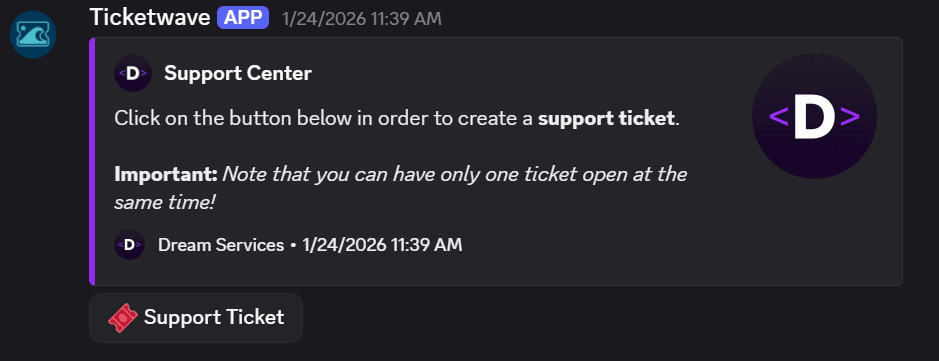
You can customize the panel's title, description, button label, and color from the TicketWave Dashboard.
Notes
- If you update the panel design in the Dashboard, run
/ticket panelagain in the same channel to send a fresh panel with the updated layout. - You can have multiple panel messages across different channels — each run of the command creates a new one.
How is this guide?