
/ticket closeschedule
Schedule a ticket to automatically close after a specified time.
Ticket Close Schedule Command
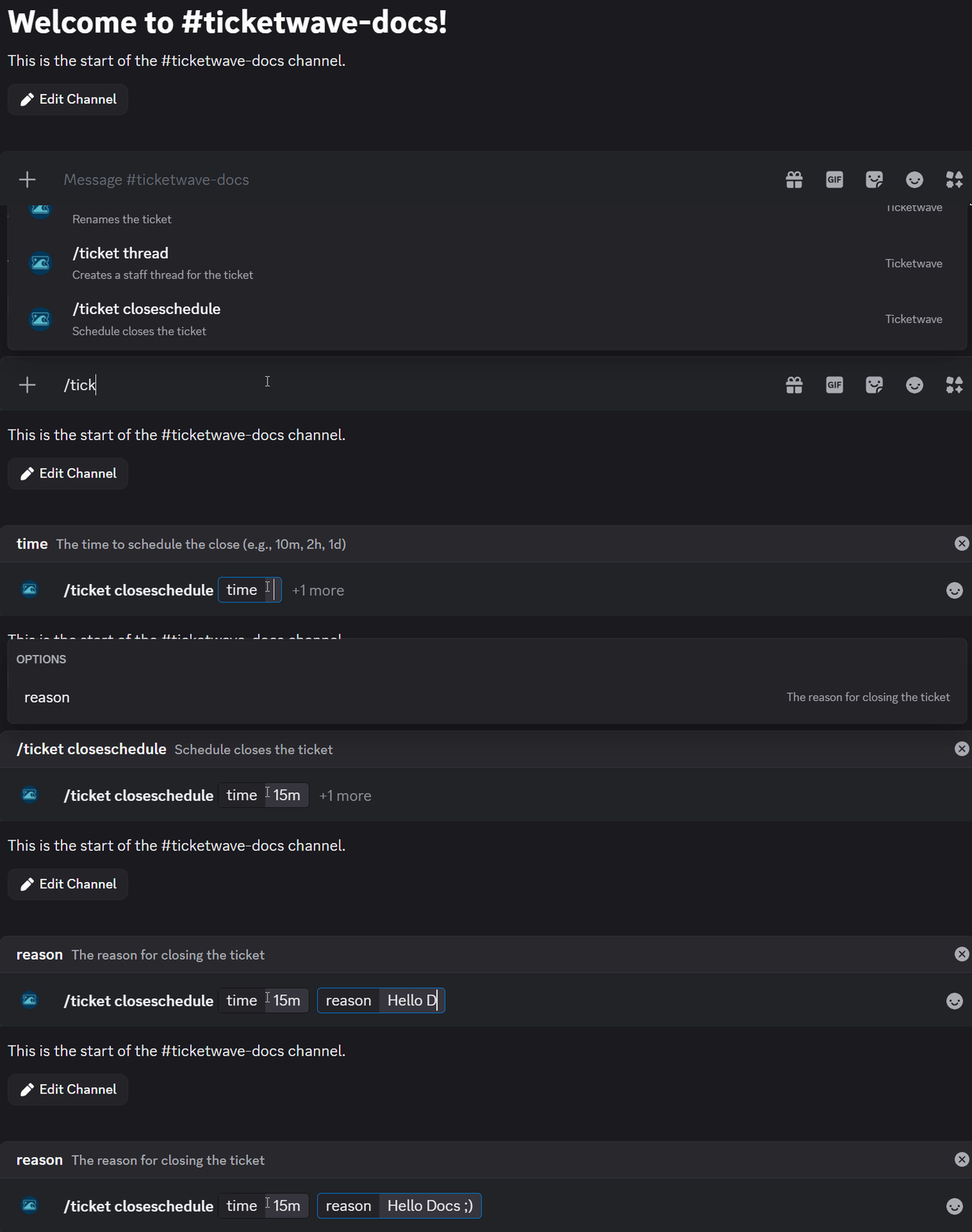
The /ticket closeschedule command schedules a ticket to close automatically after a specified duration. This is useful when you're waiting for a user response and want to avoid tickets staying open indefinitely.
Usage
/ticket closescheduleParameters
| Parameter | Type | Required | Description |
|---|---|---|---|
time | Text | Required | How long until the ticket closes (e.g. 30m, 2h, 1d) |
reason | Text | Optional | The reason for closing the ticket |
Time Formats
| Format | Example | Meaning |
|---|---|---|
| Minutes | 30m | 30 minutes from now |
| Hours | 2h | 2 hours from now |
| Days | 1d | 1 day from now |
| Combined | 1d 12h | 1 day and 12 hours |
When to Use This
Use /ticket closeschedule when a ticket is pending a user response and you want it to close automatically if they don't reply within a given timeframe.
Example
You've resolved a configuration issue and want to give the user some time to follow up before the ticket closes:

Notes
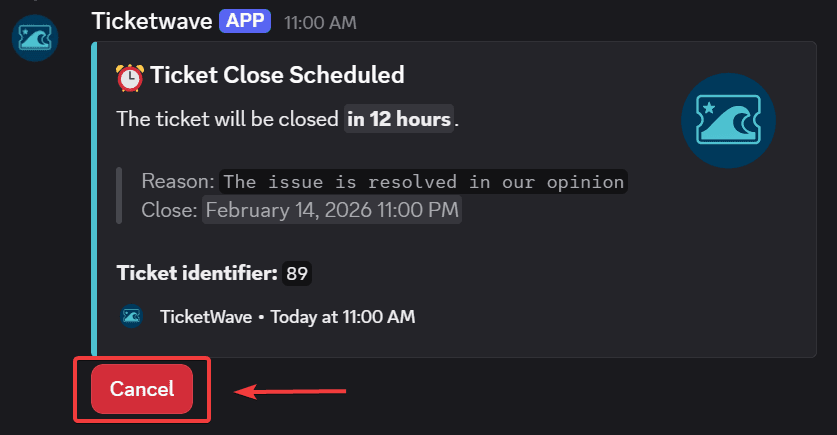
- You can cancel a scheduled close at any time by clicking the Cancel button in the schedule message:
How is this guide?